 GARDEN PLANNER APPYardSageUSDA hardiness zone aware. Personalized planting calendar. Frost dates, succession planting, companion suggestions.Download for iPhoneGet it on Google Play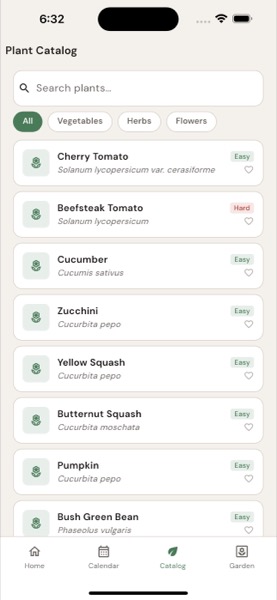
The single most useful piece of gardening information is your USDA hardiness zone — the climate categorization that determines what survives your winter, when your last frost typically falls, and what plants will succeed in your specific location. Most gardening books and seed packets reference zones; most general-purpose gardening apps either ignore them or treat them superficially.
YardSage builds the planting calendar around your specific zone. After two seasons using it across zones 5b and 6a (suburban Pacific Northwest transition), here’s how it works and where it provides real value over generic gardening apps.
The Zone-First Approach
When you open YardSage, the first setup question is your location (ZIP code or device location). The app determines your USDA zone automatically and adjusts every subsequent recommendation. This sounds basic but it changes everything downstream:
- Last and first frost date estimates for your specific area
- Planting windows calibrated to local growing season
- Crop recommendations filtered to what thrives in your zone
- Pest pressure timing tied to regional patterns
- Variety suggestions specific to your climate
Generic gardening apps often suggest “plant tomatoes in early spring” — useless without zone context. Plant tomatoes too early in zone 5 and they’ll die in late frost; wait too long in zone 9 and you miss productive heat. The zone-aware app gives you “plant tomatoes after May 15 in your zone.”
The Planting Calendar
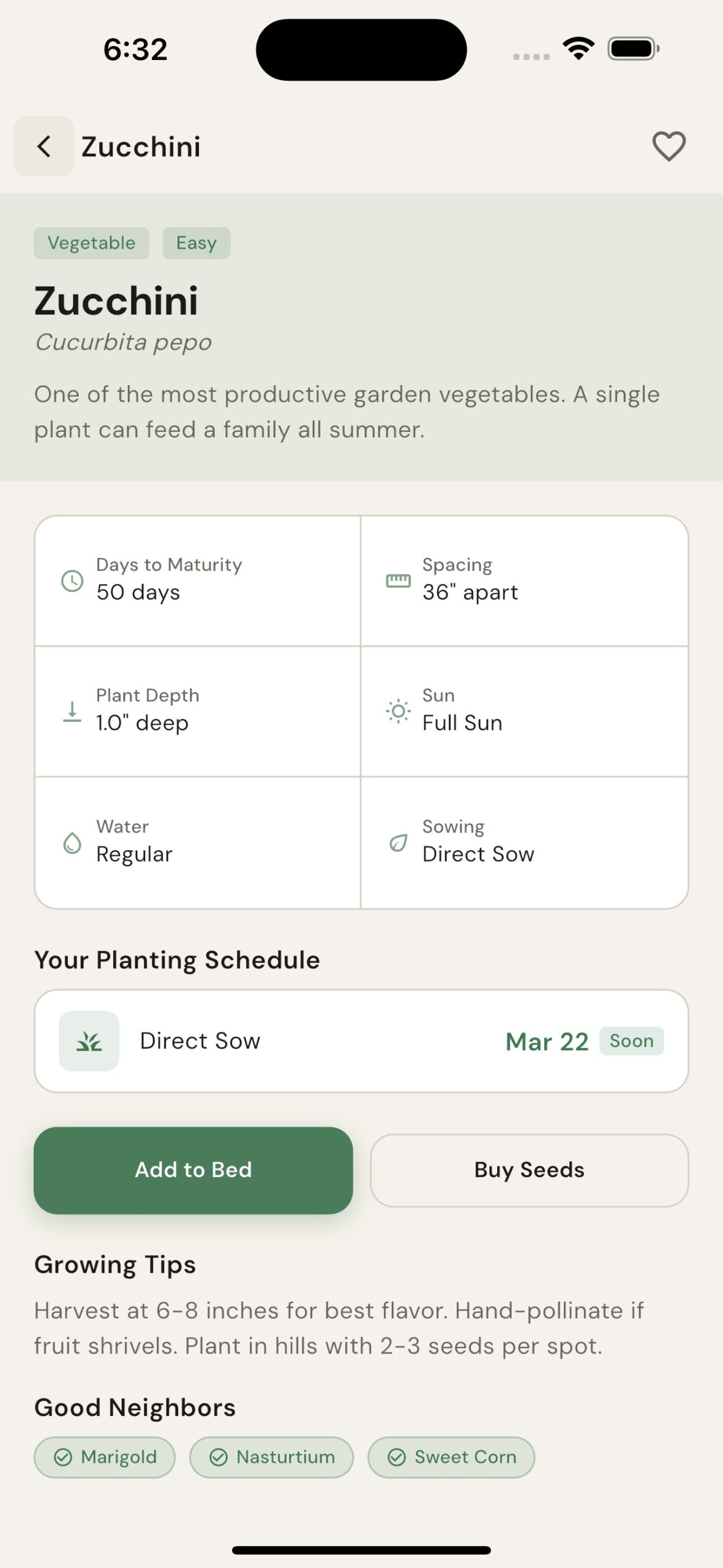
The calendar view shows the year ahead with planting windows for each crop in your inventory. Frost dates are marked. Each crop has a recommended window for direct seeding, transplanting, and harvest.
The calendar handles the complexity that gardeners track manually:
Cool-season crops. Lettuce, peas, spinach, broccoli, kale want cool weather. Spring planting (March-May in temperate zones) and fall planting (August-October) both work. The calendar shows both windows.
Warm-season crops. Tomatoes, peppers, eggplant, squash, beans need warm soil and frost-free conditions. Single window per year, typically May-September depending on zone.
Perennial timing. Asparagus, rhubarb, strawberries, garlic, fruit bushes have multi-year considerations. The calendar prompts seasonal maintenance for established perennials and timing for new plantings.
Succession planting. Lettuce, beans, and certain other crops produce better with staggered plantings every 2-3 weeks. The calendar prompts re-plantings to maintain continuous harvest.
Frost Date Accuracy
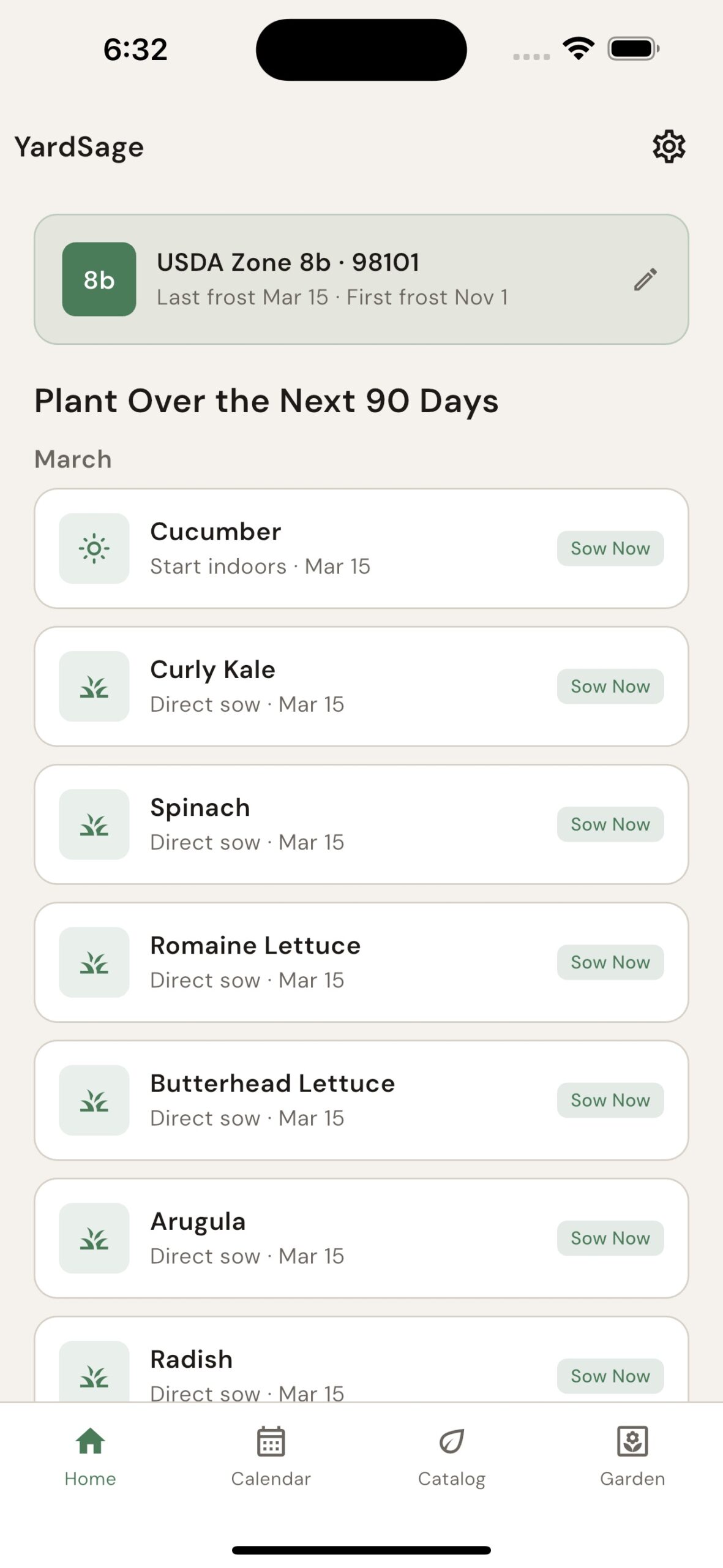
Frost dates from the app draw from NOAA data, refined by elevation and microclimate factors. For most US locations, the app produces a last-spring-frost estimate within 5-7 days of actual.
The catch: actual frost in any given year varies. The app shows the 50%-probability date (about half of years have last frost before this date, half after). Conservative gardeners wait 1-2 weeks past this date for tender crops; aggressive gardeners use row covers to extend the window.
The app also factors microclimate to some extent. Urban heat islands often have later first-frost dates than surrounding rural areas. South-facing slopes warm earlier than north-facing. The calendar gives baseline; local knowledge refines.
Companion Planting Suggestions
The app includes a companion planting feature drawing from traditional folk knowledge plus some research-backed pairings:
Strong positive pairings:
- Tomatoes + basil (commonly cited; basil’s aromatic oils may repel some pests)
- Carrots + onions (deter each other’s pests)
- Three Sisters: corn, beans, squash (traditional planting that uses vertical and horizontal space efficiently)
- Lettuce + radishes (radishes harvest before lettuce shades them)
Avoid combinations:
- Tomatoes + brassicas (different soil pH preferences)
- Beans + alliums (alliums inhibit bean growth)
- Strawberries + brassicas (strawberries can transmit verticillium wilt to cabbage family)
The companion suggestions are guidelines, not strict rules. Some traditional pairings have less rigorous evidence than others. Use as one input alongside spacing, light, and your specific layout.
GARDEN PLANNER APPYardSagePlan your zone-specific garden calendarDownload for iPhoneGet it on Google PlayGarden Layout and Bed Design
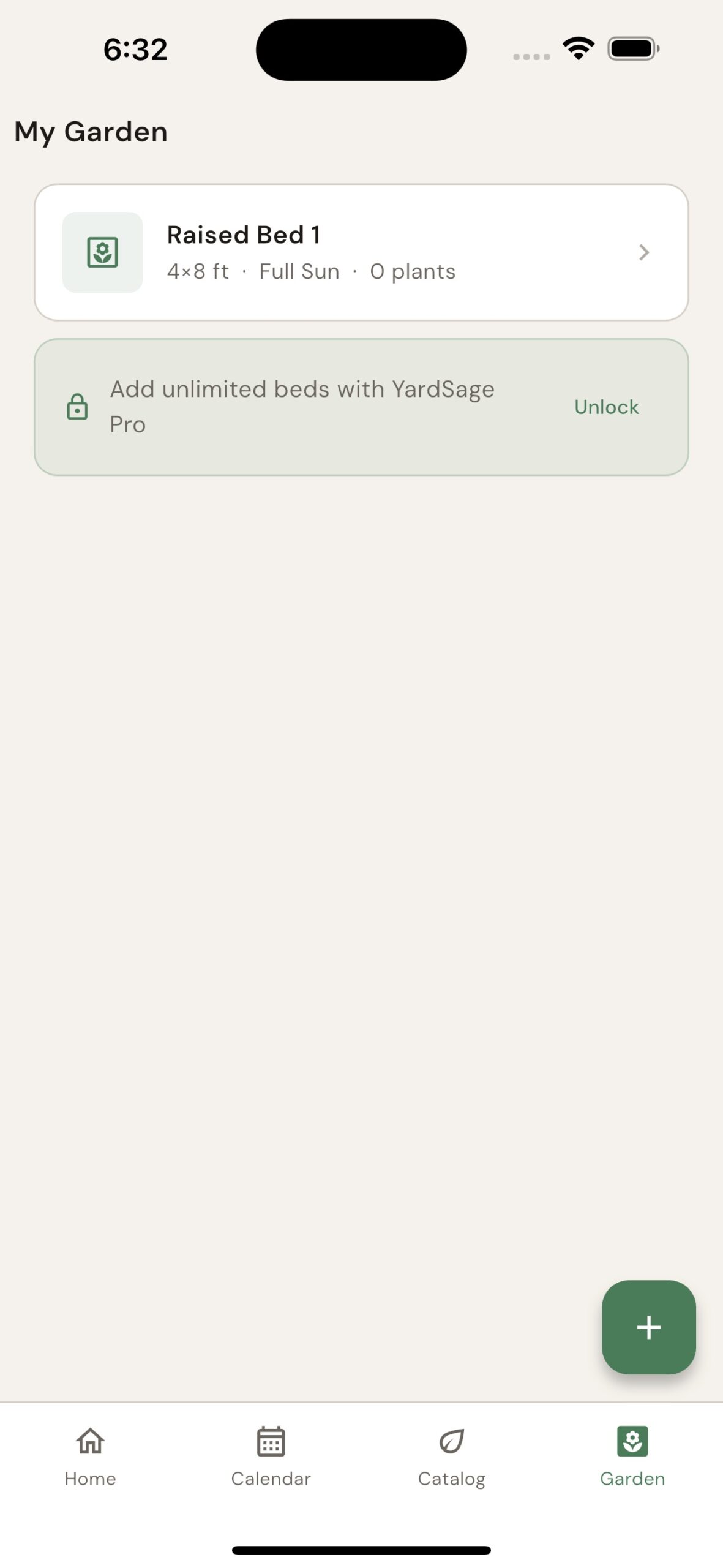
The app includes garden layout tools — sketch your bed shapes, allocate space to crops, and the calendar uses the layout to track what’s planted where:
- Crop rotation reminders (don’t plant the same family in the same bed two years running)
- Spacing guidance (how many plants fit in a 4×8 bed)
- Sun exposure tracking (south, east, west, north — different crops thrive in different orientations)
- Mature plant size for accurate spacing
The layout feature is most useful in year 2+. First year, beginners often plant too densely and learn the hard way. The app’s spacing prompts help avoid this.
Pest and Disease Timing
Regional pest pressure follows predictable cycles. The app produces alerts tied to your zone:
- Aphid emergence (early summer in most zones)
- Squash vine borer flight period (June-July typically)
- Tomato hornworm appearance (mid-summer)
- Late blight risk windows (humid, warm conditions)
- Cucumber beetle pressure (May-September)
- Specific zone-aware pests
The alerts are reminders to inspect, not predictions of certain infestation. Some seasons skip pest cycles entirely; others have severe pressure. The reminders prompt vigilance during high-risk windows.
Harvest Tracking
For multi-year gardeners, the harvest tracking feature is the most valuable single function. Log your harvests by crop, by date, by quantity. The app builds a season-over-season picture:
- Did this variety produce better than last year?
- Is this bed less productive than others?
- How much did I actually harvest vs estimated?
- Which crops paid off vs which underperformed?
Most home gardeners stop tracking after a few weeks (or never start). Without data, year-over-year improvements rely on memory and impression. With data, you can see what actually worked.
Container Gardening Support
For gardeners without yards, the container mode adjusts recommendations:
- Container-friendly varieties (dwarf tomatoes, compact peppers, bush beans)
- Pot size guidance (most home cooks underestimate container size needed)
- Watering schedule (containers dry faster than in-ground beds)
- Soil mix recommendations (container-specific blends differ from garden soil)
A 50 sq ft balcony container setup produces meaningful harvest if planned correctly. The app’s container-specific guidance helps avoid the common balcony-garden mistakes (overcrowding, undersized containers, ignoring water needs).
What the App Doesn’t Solve
Honest limitations:
1. Soil quality. The app can’t see your soil. It assumes adequate soil unless you tell it otherwise. Gardeners with heavy clay, acidic, or depleted soils need to address that separately — soil tests, amendments, and possibly raised beds.
2. Microclimate beyond zone. A garden in a frost pocket at the bottom of a hill behaves differently from one on a south-facing slope at the same address. The app applies zone average; you need to refine for your specific spot.
3. Variety selection within crop families. The app suggests crops; specific variety selection (which type of tomato, which lettuce variety) requires additional research. Generally fine — most beginners do better with broad guidance plus their own variety experimentation.
4. Animal management. Deer, rabbits, groundhogs, and other critters aren’t on the app’s radar. Garden fencing and pest management beyond plant-level requires separate planning.
The First-Year Pattern
For new gardeners using the app in year one:
Plant fewer crops, deeper. The app will suggest variety. Resist. Pick 5-8 crops you’ll actually eat and learn those well before expanding.
Track everything. Log plantings, harvests, and observations. Year 2 you’ll have data; year 1 you don’t.
Accept failures. Some plantings will fail. That’s part of year 1. Note what failed and adjust year 2.
Use the calendar. The temptation is to plant when you’re motivated rather than when the calendar says. Resist; the calendar is your zone-aware guide.
Don’t over-water. Most new gardeners over-water and kill plants. The app’s recommendations are usually correct.
The Year 2-3 Compounding
The app’s value increases as you accumulate data. Year 2 garden plans benefit from year 1 harvest tracking. Year 3 plans incorporate two seasons of data. By year 4, you’ve calibrated the generic recommendations against your specific garden’s actual behavior.
For multi-year gardeners, the app becomes a season-by-season journal as much as a planning tool. The harvest data, garden layouts, and pest observations from prior years inform the current year’s decisions.
For the home-cook angle on garden planning — choosing crops to support your cooking style — see grow what you cook.
GARDEN PLANNER APPYardSageYardSage— Zone-Aware Garden PlannerDownload for iPhoneGet it on Google Play

Stay in the loop
Get the latest the gardening nook updates delivered to your inbox.